
Messages & layouts
Vela can lay out a conversation three ways. Switch in Settings → Messages, from View → Message Layout, or by typing "layout" in the command palette (⇧⌘P). The change applies instantly.
Classic
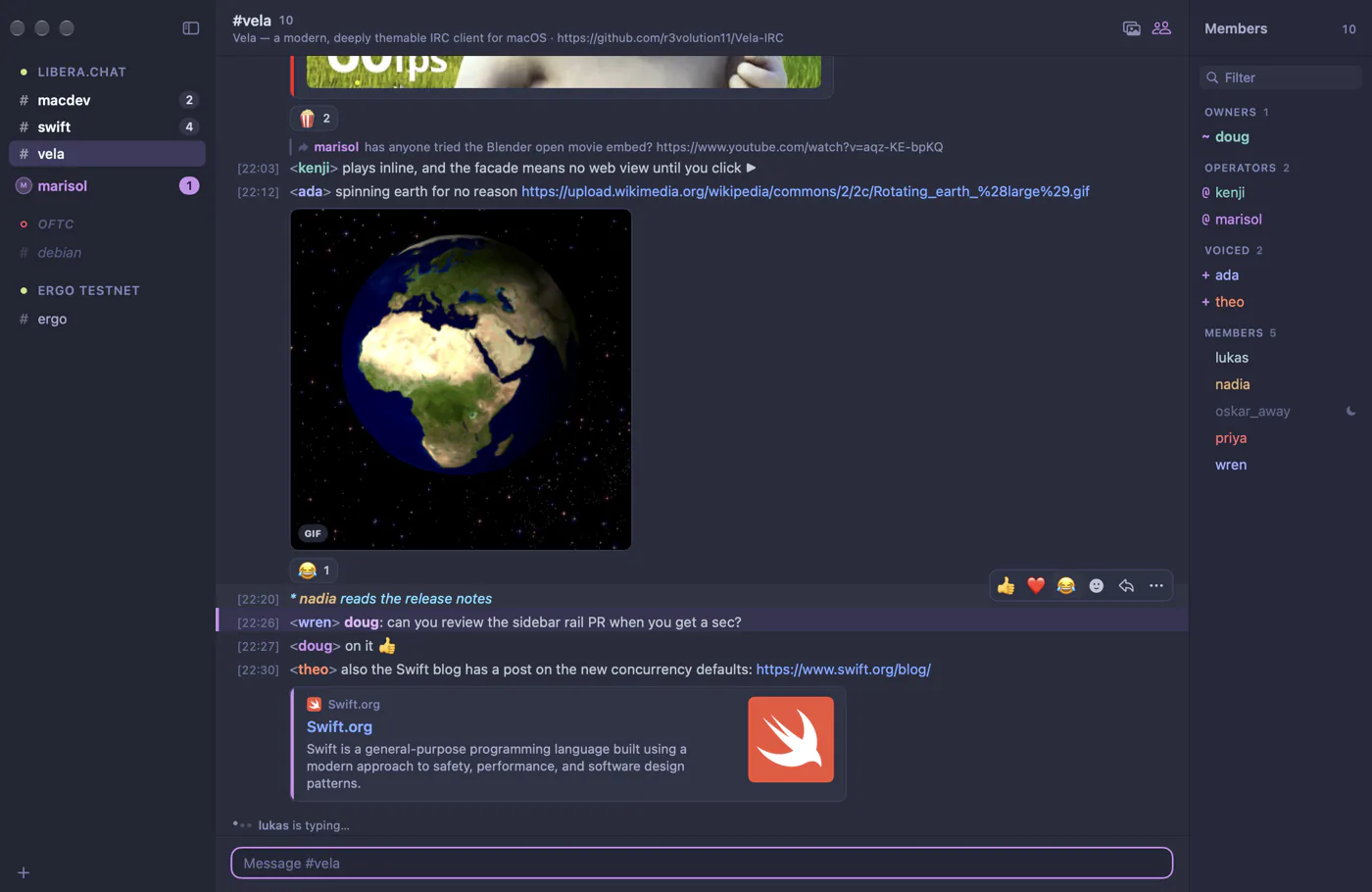
One line per message, [12:01] <nick> text, like Textual or irssi. Long messages wrap and hang under the text, clear of the timestamp column. Actions read * nick waves.
Pair it with Monospace (below) for a terminal feel; the Classic IRC preset does exactly that.
Modern grouped
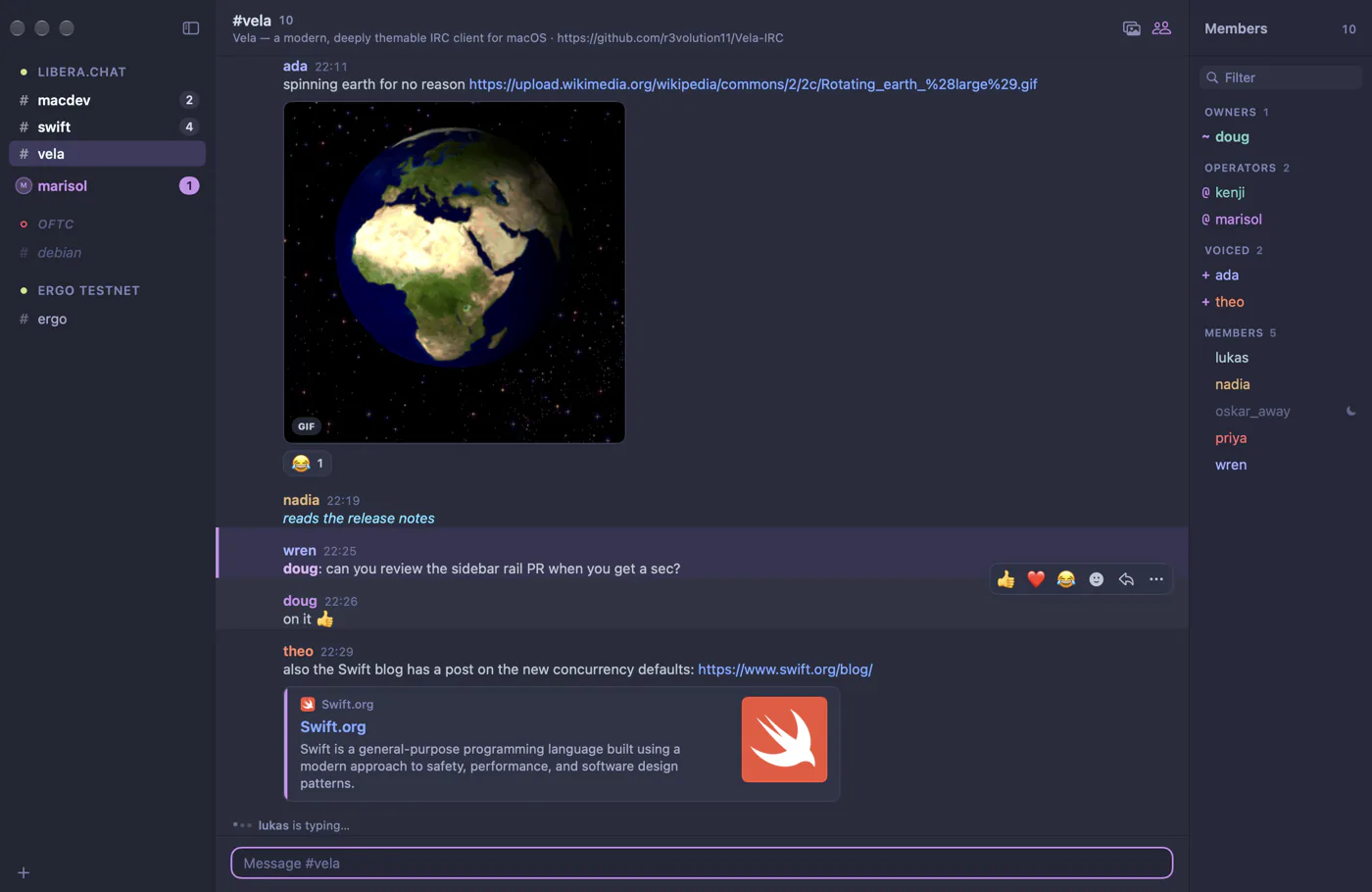
Like Slack or Discord: consecutive messages from one person share a single header with their name and the time. Hover a follow-up message to see its time in the margin.
Messages are grouped when they arrive within 5 minutes of each other (Group messages within in Settings, chat.groupingInterval in settings.json). Turn on Avatars to show initials next to each group; they're off by default.
Compact columns
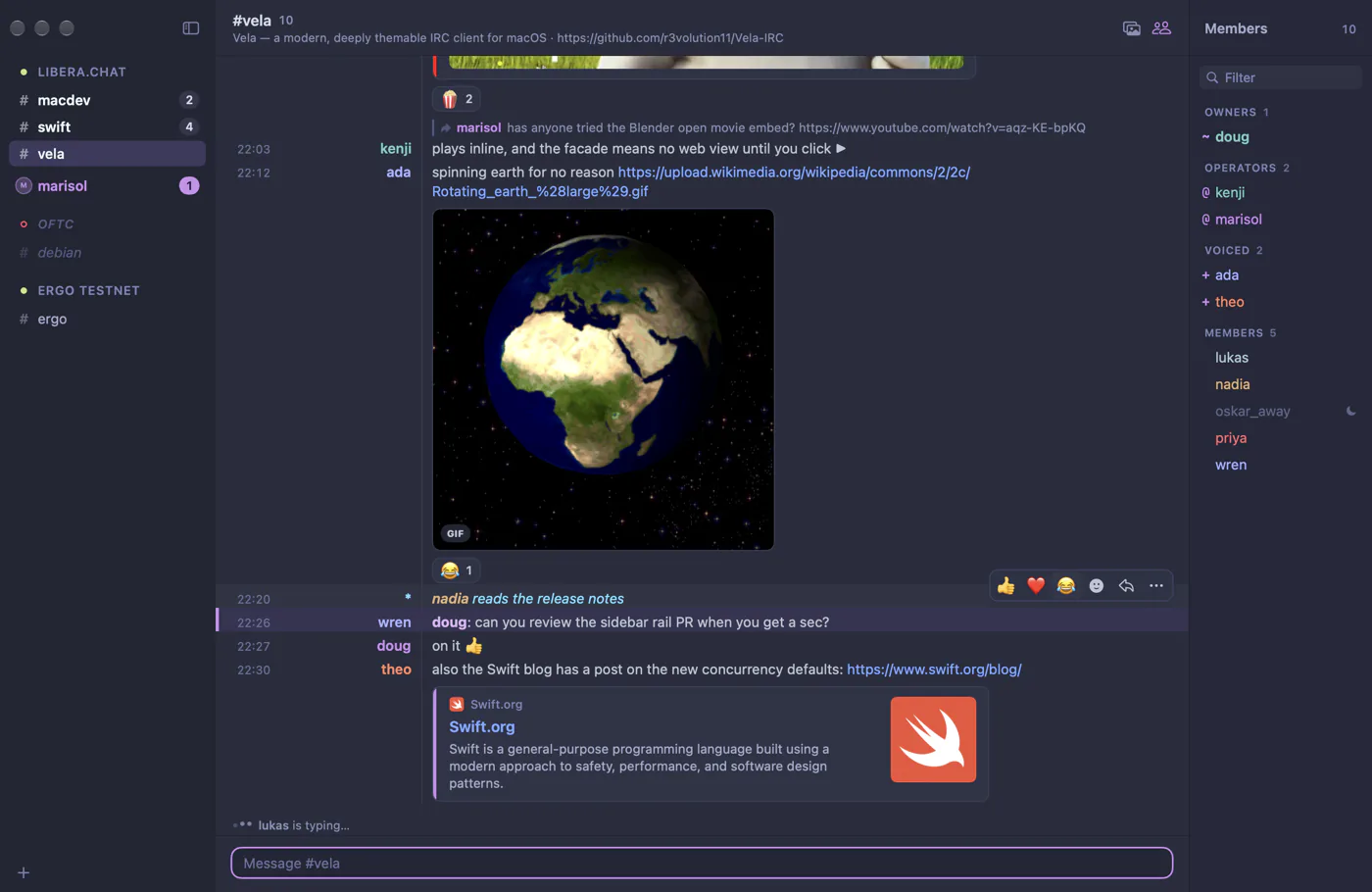
Like WeeChat: time, a right-aligned nick, then the text, in tidy columns divided by a thin rule. Adjust the Name column width to fit the nicks you see most.
Text and spacing
In Settings → Messages:
- Font is the system font by default; choose any font installed on your Mac.
- Monospace renders all chat text in the monospace font, like irssi or WeeChat. Monospace font (SF Mono by default) is also used for code and for the columns layout's fixed-width parts.
- Font size goes from 9 to 28 points. View → Bigger (⌘+), Smaller (⌘−) and Actual Size (⌘0) change it from anywhere.
- Line spacing adds space between the lines of one message; Message spacing adds space between messages and groups.
Timestamps
Turn timestamps on or off, and pick a format: 24-hour (HH:mm, the default), with seconds (HH:mm:ss), 12-hour (h:mm a), or Custom… with any Unicode date pattern.
Joins, parts and other noise
Joins and parts controls join, part, quit and nick-change messages:
- Show each one on its own line.
- Collapse a run of them into one summary, such as "alice, bob and 3 others joined · carol left", which you can expand. This is the default.
- Hide them completely.
The same choices are in View → Message Layout.
Colors and formatting
- Colored nicknames gives everyone a stable color from your theme's nick palette. The same nick always gets the same color.
- mIRC formatting shows bold, italic, underline, strikethrough, monospace, colors (including hex colors) and reverse text sent by other clients. Turn it off to see plain text.
- Large emoji shows messages that are only emoji at a bigger size.
- Messages that mention you get a tinted background and an accent bar. See Notifications & highlights.
Reading a conversation
- Day dividers ("Today", "Yesterday", "Monday, November 10") separate days.
- A New marker shows where you stopped reading.
- When you scroll up, Jump to present brings you back to the newest messages, with a count of what arrived meanwhile.
- Right-click a message (or hover it and click …) to copy its text, link or the sender's nick, message or
/whoisthem, or react and reply. You can also select text in a message to copy part of it.
Scrollback and history
Vela stores your messages on your Mac in a local database. Each channel keeps the most recent 1,000 messages in memory (Messages kept in memory); scroll up and older messages load from disk, then from the server if it supports chathistory.
To limit how much history is kept, set Settings → Advanced → Keep messages. Older messages are removed when Vela starts. By default history is kept forever.