Tab stacks
Instead of a sidebar, Vela can show your networks and channels as two rows of tabs, like Vivaldi's tab stacks: one row for your networks, and below it the selected network's console, channels and private conversations.
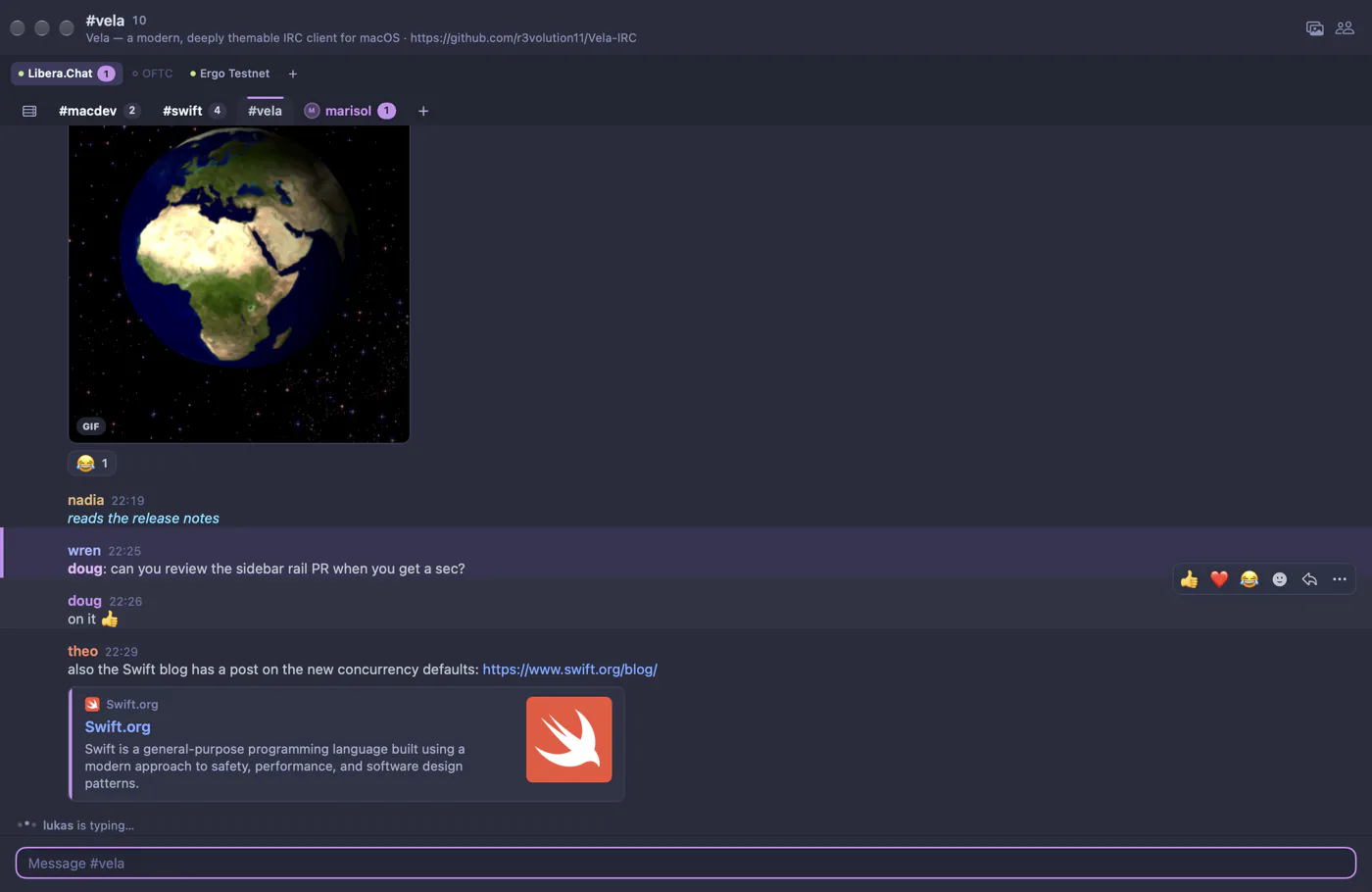
Turn them on in Settings → Layout (choose Tabs), from View → Navigation, or with the Tabbed or Focus preset.
Placement
Put the tab stacks where they suit you, in Settings → Layout → Placement or View → Navigation:
- Top (
top), just below the channel header. The selected tab merges into the conversation, like a browser tab. - Title bar (
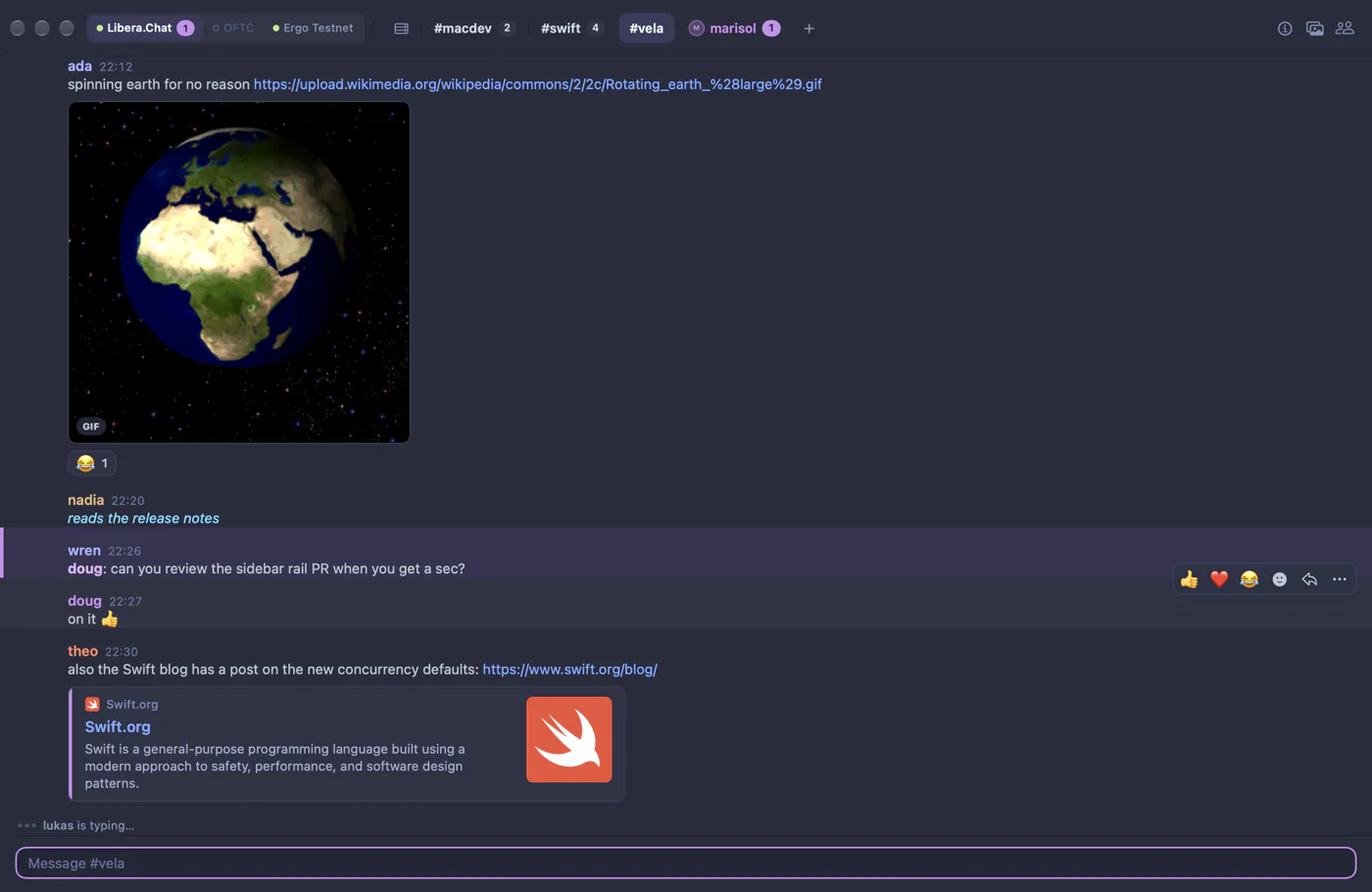
titleBar), next to the window buttons. Your networks become a compact segmented group with the channel tabs beside them, and the topic moves into a popover behind the ⓘ button. This saves the most room. - Bottom (
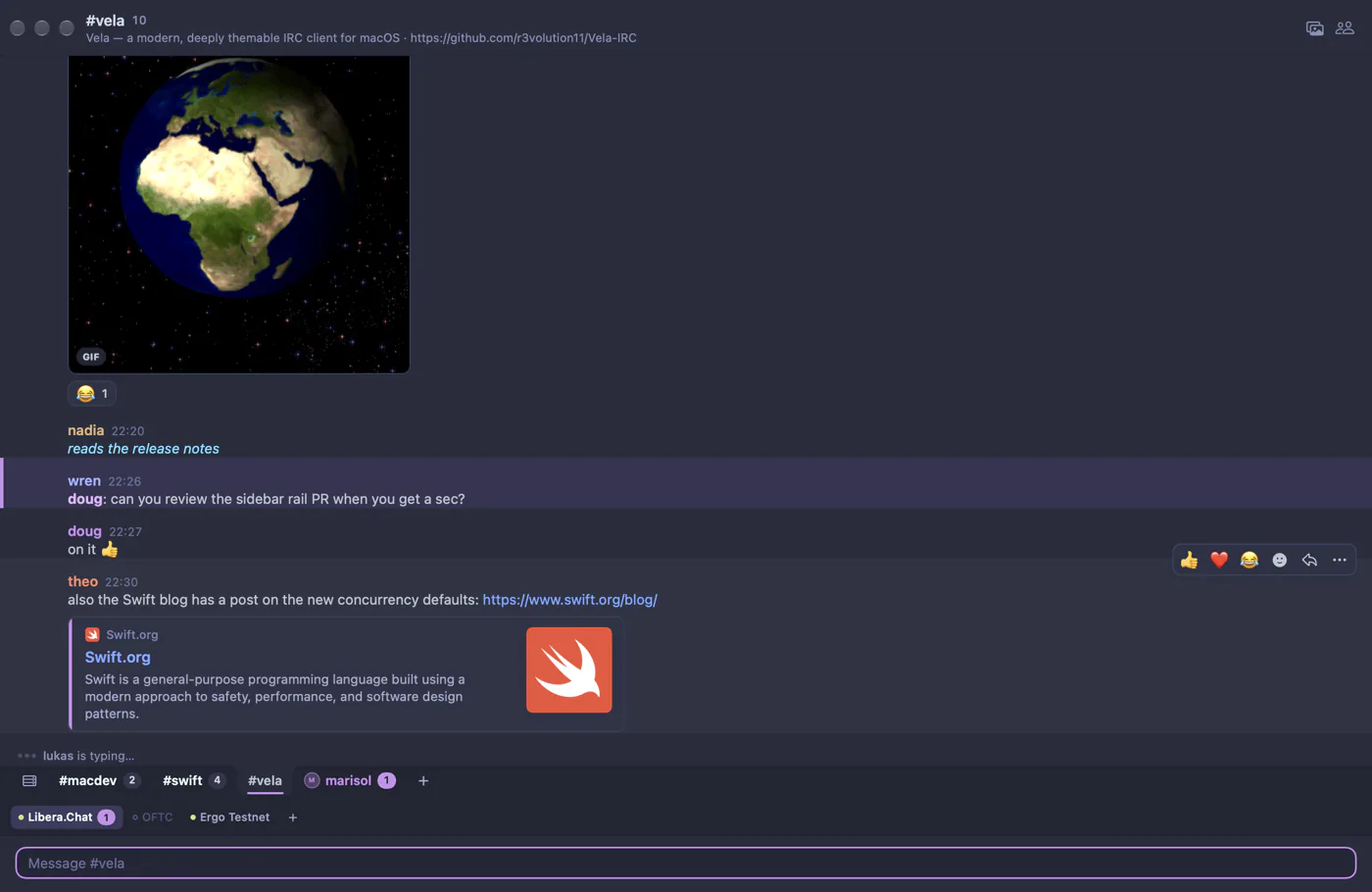
bottom), just above the message field, with tabs hanging from the conversation.
Roundness
Roundness goes from square corners (0) to fully rounded pills (1). At about 0.8 and above, tabs become free-standing pills rather than tabs attached to the conversation.
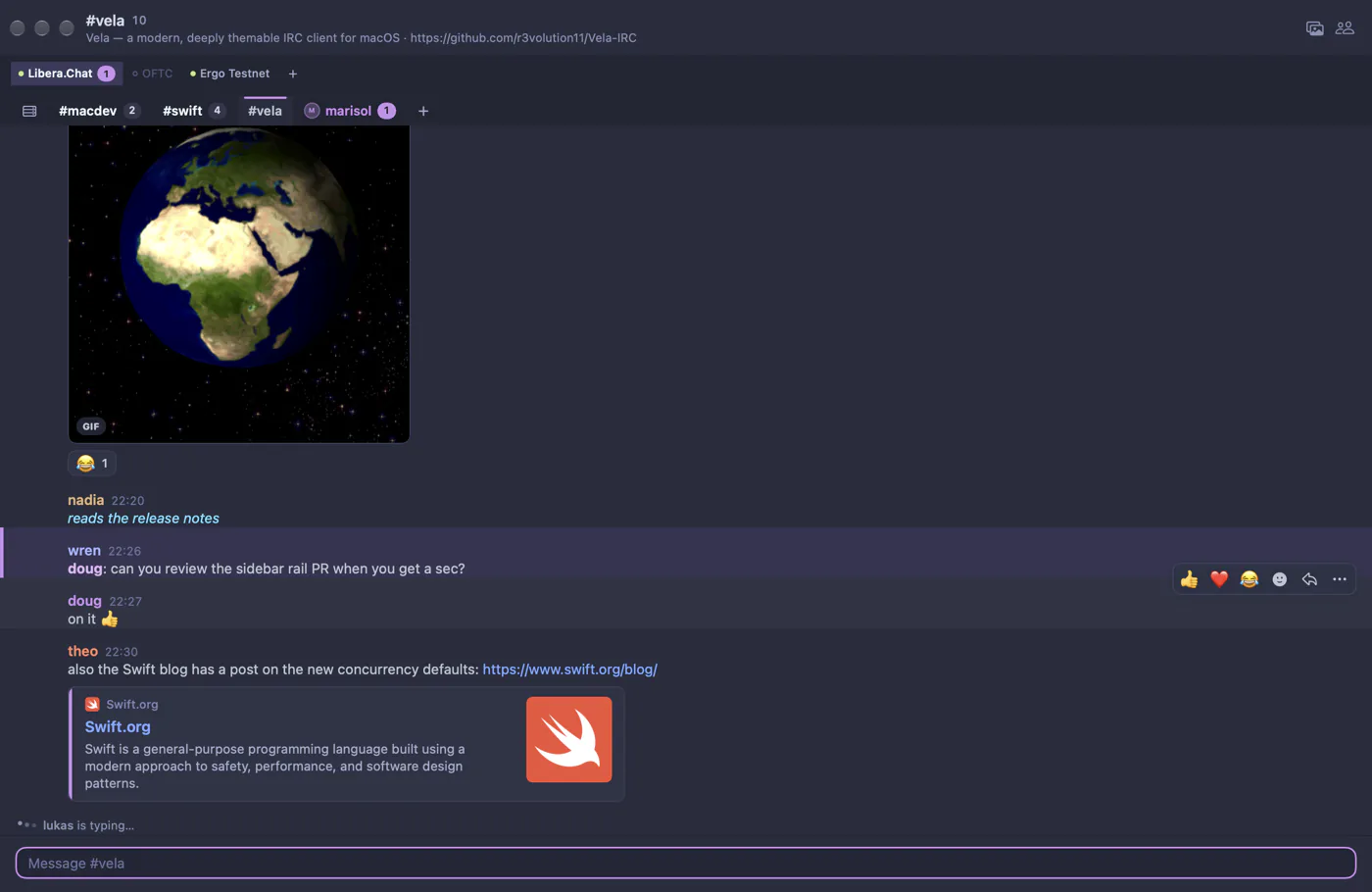
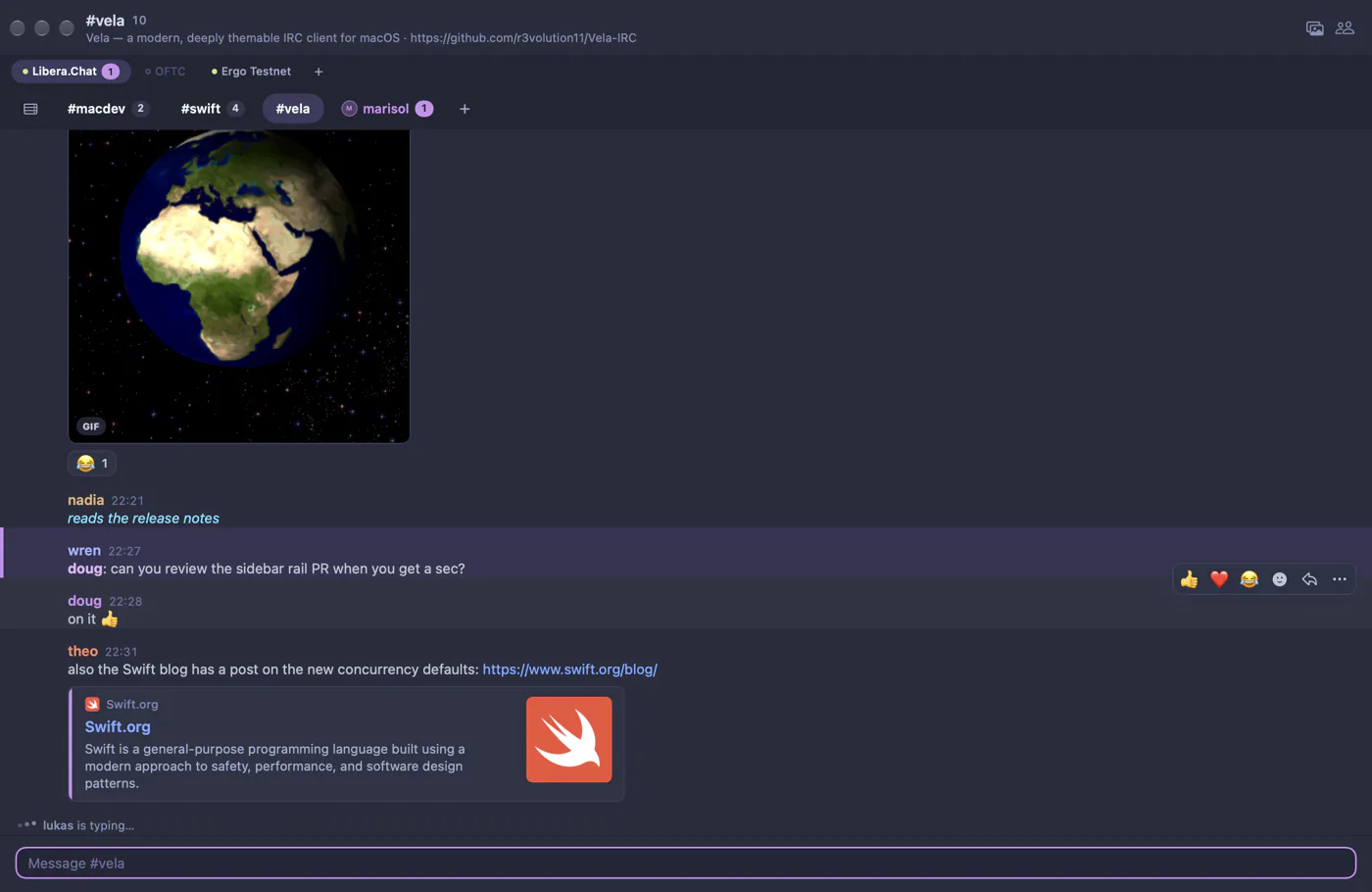
The network row
The row of network tabs shows each network's connection status and a badge when something there mentions you. With Network row set to Auto (the default), it's hidden while you're connected to just one network, and that network's name appears on its console tab instead. Choose Always to keep it.
More options
| Setting | What it does |
|---|---|
| Tab height | From 22 to 40 points (28 by default). Text and padding scale with it. |
| Unread badges | Unread and mention counts on tabs. |
| Close buttons | A × on channel and conversation tabs when you hover them. |
Using tabs
- Click a tab to switch to it; right-click it for the same actions as in the sidebar (mark as read, mute, inline media, leave, close).
- ⌘1 to ⌘9 jump to the selected network's first nine channels and conversations.
- When a row has more tabs than fit, it scrolls, fading at the edges, and a » menu lists them all.
- The + at the end of a row joins a channel or adds a network.
All of these are also keys in settings.json: tabs.placement, tabs.roundness, tabs.serverRow, tabs.height, tabs.showUnreadBadges and tabs.showCloseButtons.