
Presets
A preset sets up navigation, message layout, density and media in one click, so you can get a whole style without visiting every setting. Presets never change your theme, and they only touch the settings listed below, so anything else you've customized stays as it is.
Apply one from Settings → Presets, the View → Presets menu, or the command palette (type "preset"). Afterwards, change anything you like. The preset stays checked as long as your settings still match it.
Classic IRC
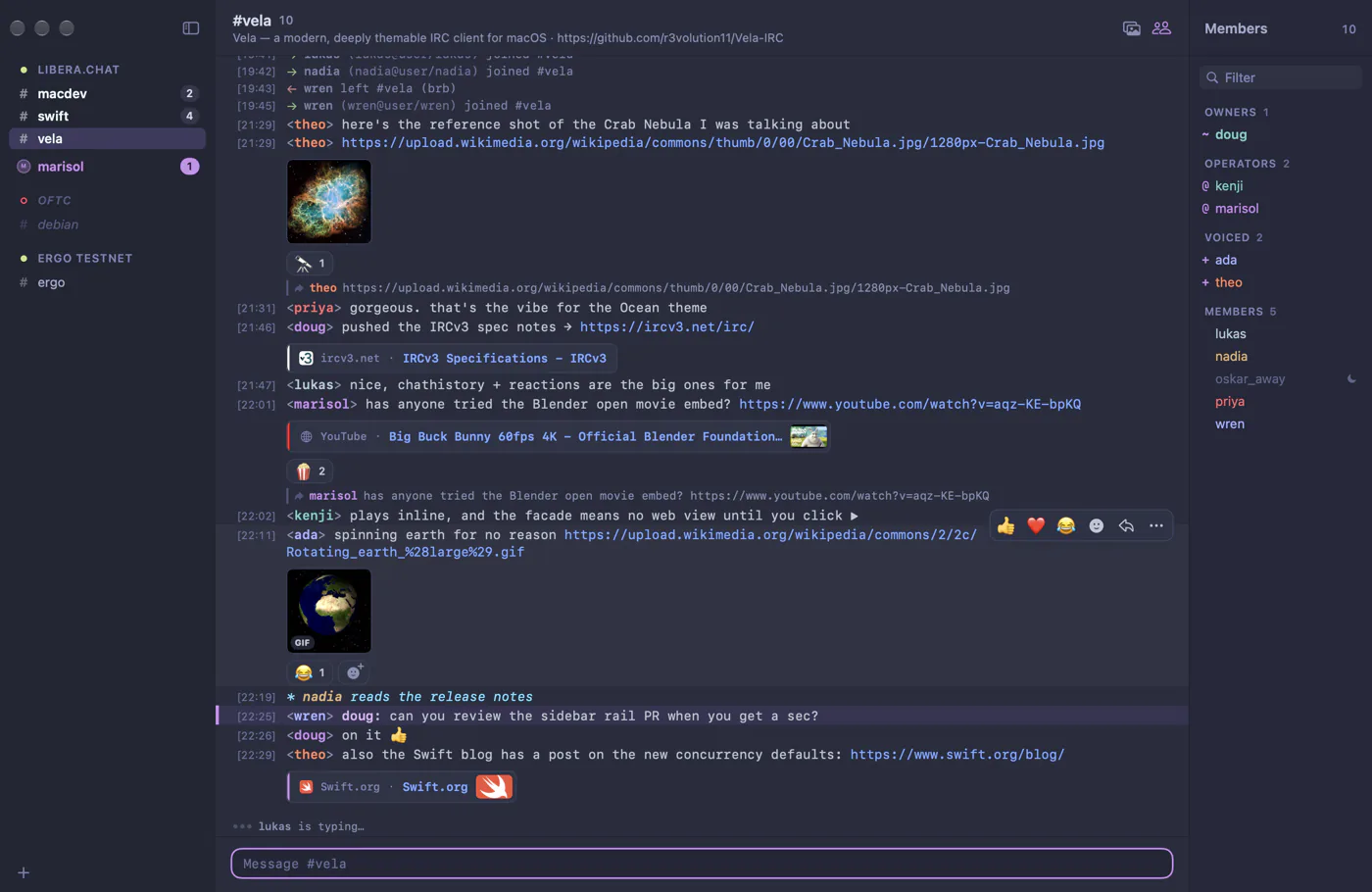
Sidebar tree, one-line messages in a monospace font, dense spacing and compact link titles. Feels like Textual or irssi. Join and part messages are shown individually, and video links show a title line instead of a player.
Modern Chat
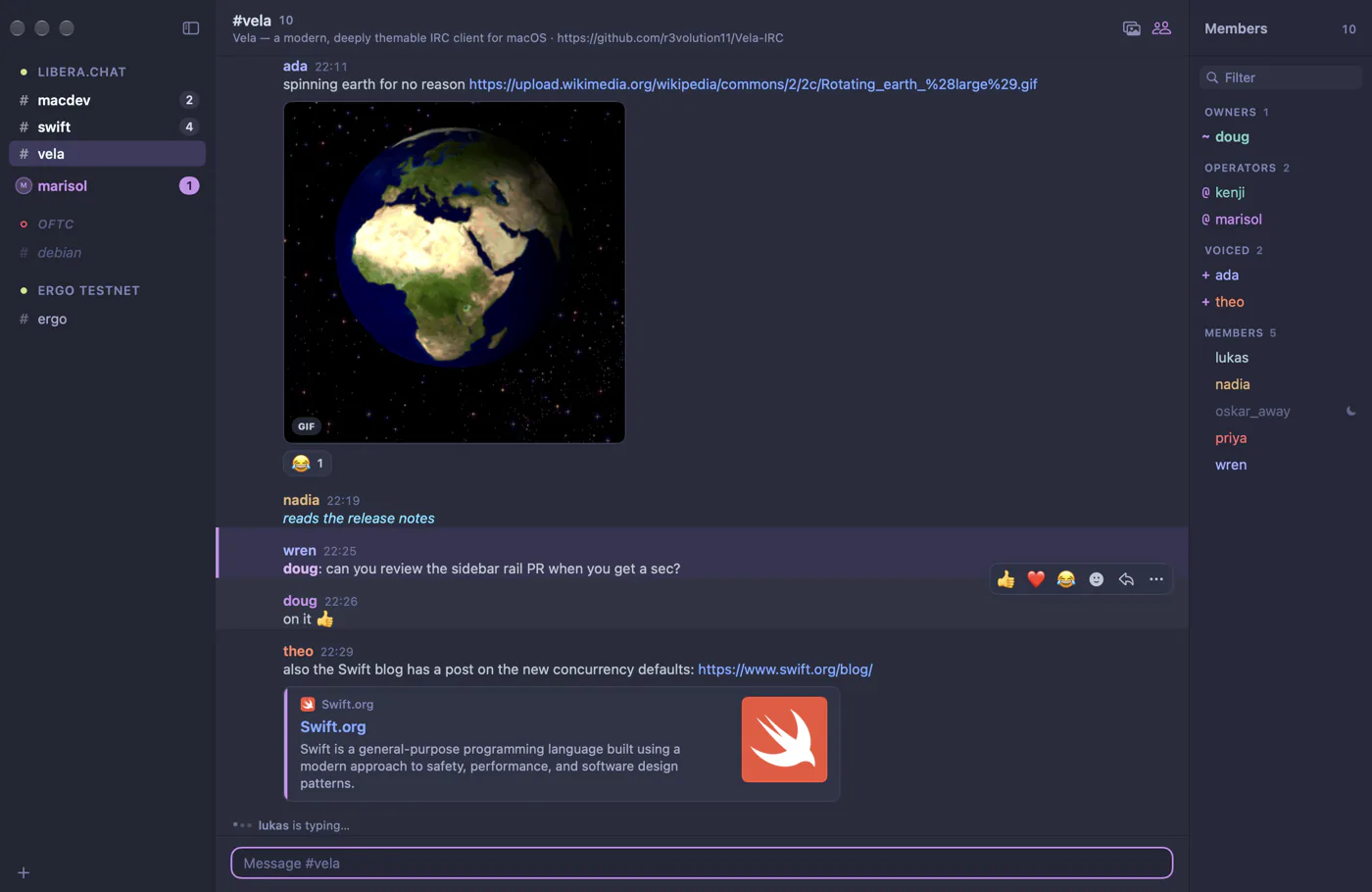
Sidebar with grouped messages (one name header per run of messages) and full inline media: large images, link cards and video players. Joins and parts are collapsed into one line.
Tabbed
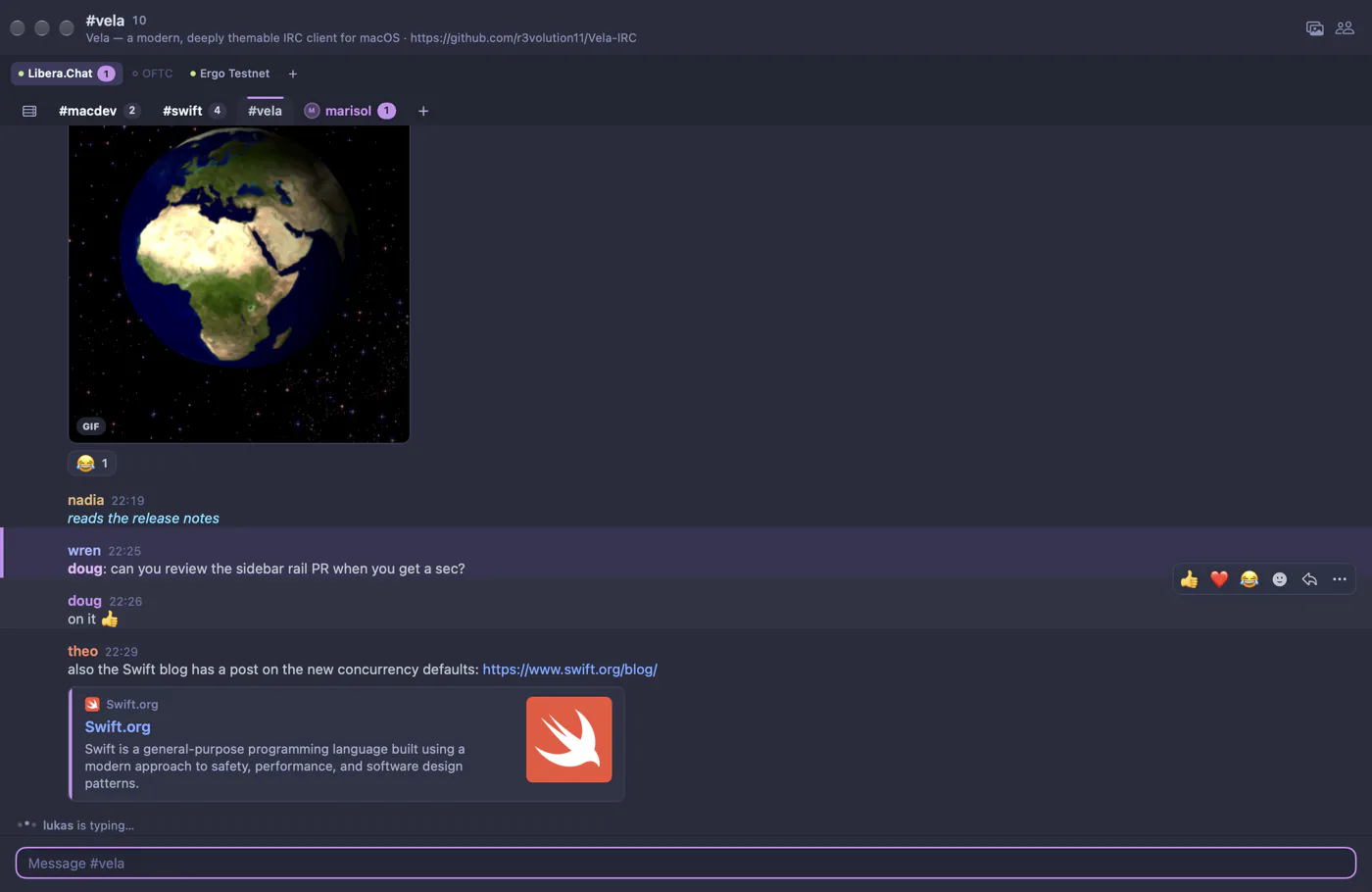
Tab stacks across the top instead of a sidebar, grouped messages and rounded tabs, with the member list hidden. Great for one network and a few channels.
Focus
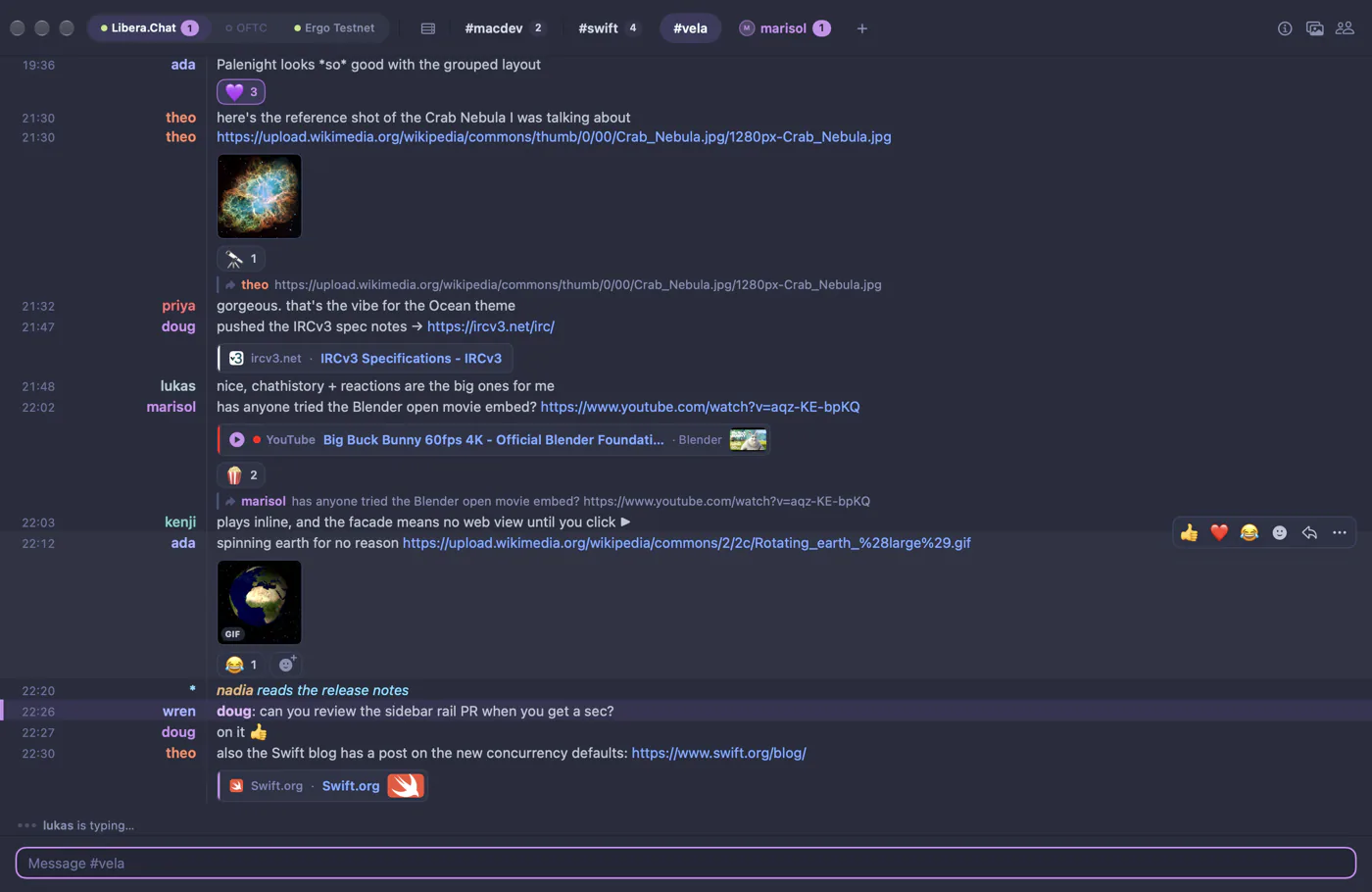
Pill tabs in the title bar, compact columns, no avatars or join/part noise, the member list hidden and compact previews. Maximum text, minimum chrome.
What each preset sets
A dash means the preset leaves that setting alone. Click a setting to read what it does.
| Setting | Classic IRC | Modern Chat | Tabbed | Focus |
|---|---|---|---|---|
navigation.style | "sidebar" | "sidebar" | "tabs" | "tabs" |
chat.layout | "classic" | "grouped" | "grouped" | "columns" |
chat.monospace | true | false | false | false |
chat.fontSize | 12 | 13 | 13 | 13 |
chat.lineSpacing | 1 | 2 | 2 | 2 |
chat.messageSpacing | 2 | 6 | 8 | 3 |
chat.showAvatars | false | false | false | false |
chat.showJoinPart | "show" | "collapse" | "collapse" | "hide" |
chat.showTimestamps | true | true | — | — |
sidebar.rowHeight | 20 | 22 | — | — |
sidebar.fontSize | 12 | 12 | — | — |
memberList.visible | true | true | false | false |
media.presentation | "compact" | "full" | "full" | "compact" |
media.loadVideoEmbeds | false | true | true | true |
tabs.placement | — | — | "top" | "titleBar" |
tabs.roundness | — | — | 0.5 | 1 |
tabs.serverRow | — | — | "auto" | "auto" |
Making your own
There's no "save as preset" yet, but every value is a key in settings.json, so you can keep your favorite setup in a file and paste it back whenever you like.